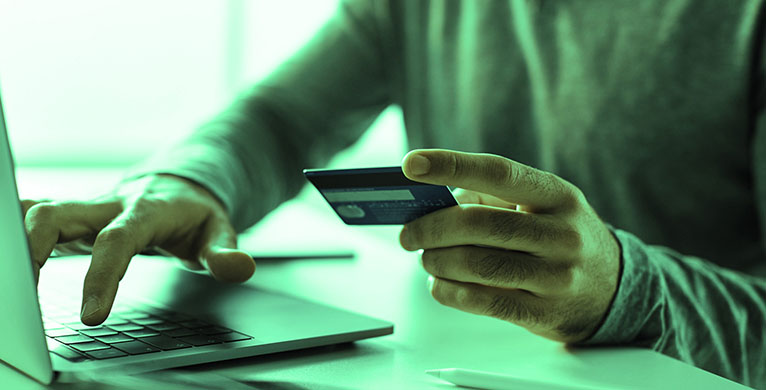

Protect mobile and online banking
- Never share your user ID or password with anyone. The Bank of Missouri will never ask for this information. Be suspicious of any caller requesting it or anyone who needs your login details to "offer" you money or a loan.
- Use the latest version of your internet browser.
- Log off when you're finished with your banking.
- If you’re using a public computer, don't walk away while logged in. Clear the browser's cache and close the browser window when finished.
- Don’t log into your bank account, or other sensitive accounts, using public Wifi unless you are connected through a VPN.
Use email safely
- Email is not encrypted, meaning information you share by email may be available to hackers. Do not send sensitive information by email, such your bank account number, Social Security number, or debit card number. If you need to send confidential information by email, use an encryption service.
- Be suspicious of any emails that appear to be from the bank, but are out-of-the-ordinary. We will never ask you for sensitive information in our marketing emails.
- If it seems too good to be true, it probably is. Don’t trust someone who says they will deposit money in your account if you share your online banking password. They are much more likely to clear out your account than they are to add money to it.
- Be cautious about opening attachments and downloading files from emails, regardless of who sent them. These files can contain viruses or other malware that can weaken your computer's security.
Avoid phishing scams
Phishing criminals pose as a business to trick you into giving them personal information. They may send an email or make a message pop up on your screen. You're told you need to "update" or "validate" your account information and something bad will happen if you don't. To collect your data, the message may direct you to a website that looks legitimate, but isn't.
The Federal Trade Commission (FTC), the nation's consumer protection agency, gives these examples of common phishing messages:
- "We suspect an unauthorized transaction on your account. To ensure that your account is not compromised, please click the link below and confirm your identity."
- "During our regular verification of accounts, we couldn't verify your information. Please click here to update and verify your information."
- "Our records indicate that your account was overcharged. You must call us within 7 days to receive your refund."
When you receive emails or text messages that ask you to confirm or provide personal information, delete them. Legitimate companies will not ask for this by email or text. Do not click on links or call numbers from the message. To reach a company you do business with, call the number on your financial statements or back of your credit card.
More phishing precautions
- Use trusted security software and set it to update automatically. In addition, follow these computer security practices.
- Don't email personal or financial information.
- Only provide personal or financial information through an organization's website if you typed in the web address yourself and you see signals that the site is secure, like a URL that begins https (the "s" stands for secure). Unfortunately, no indicator is foolproof; some phishers have forged security icons.
- Review credit card and bank account statements as soon as you receive them to check for unauthorized charges. If your statement is late by more than a couple of days, call to confirm your billing address and account balances.
- Be vigilant when it comes to online ads. Many real companies place ads online, but some scammers use them to trick people into going to fake websites. Anytime you see a paid ad, wherever it may be, assess the safety before clicking. Be cautious if the ad tells you to act quickly or offers prices that seem too good to be true. Bad design or spelling mistakes are also red flags.
- Report suspicious emails and texts following the steps at the FTC website. For emails, your report is most effective when you include the full email header, but most email programs hide this information. To find out how to include it, type the name of your email service with “full email header” into your favorite search engine.
If you think you've been tricked by a phishing email:
- File a report with the Federal Trade Commission at www.ftc.gov/complaint.
- Visit the FTC’s Identity Theft website. Victims of phishing could become victims of identity theft; there are steps you can take to minimize your risk.
Protect yourself from identity theft
Criminals are hard at work targeting one of the most important things you own - your identity. Take steps to reduce your risk.
- Know who you share information with.
- Store and dispose of your personal information securely, especially your Social Security number.
- Ask questions before deciding to share your personal information.
- Maintain appropriate security on your computers and other electronic devices.
- Contact The Bank of Missouri immediately if you lose your checkbook, debit card, or credit card.
- Monitor your accounts regularly and notify the bank if you notice something suspicious, such as missing payments or unauthorized withdrawals.
- Use mobile and online banking to keep a close eye on your accounts.
- Choose secure passwords that are not easily guessed. Avoid personal details such as a child’s name or street names. Use a mix of letters and numbers, and update your password regularly. Avoid reusing passwords across multiple sites.
- Check your credit record with the three major credit bureaus yearly. To order your report, call the following toll-free numbers; Equifax: 800-685-1111 Experian: 888-397-3742 Trans Union: 800-888-4213.
- Consider purchasing a protection service. The Bank of Missouri offers IDProtect®, an identity theft monitor and resolution service1 for you, your family and joint accounts holders. Learn more about IDProtect.
- Turn on alerts for your accounts whenever possible. For example, every time your credit card is used, a transaction is processing to your checking account, your password is changed or your account is logged into from a new device.
Learn more at the FTC Identity Theft Center.
If you suspect identity theft
- Contact The Bank of Missouri immediately at 888-547-6541.
- Remember to change account passwords as soon as possible if you're a victim of fraud or identity theft.
- Report identify theft to The Federal Trade Commission and receive a customized recovery plan and list of action steps at https://www.identitytheft.gov/.
- Or see a full list of possible recovery steps at https://www.identitytheft.gov/#/Steps.