Mobile Check Deposit

Picture this: Lightning-fast deposits with your phone
Put our mobile app to good use
Download it from the App Store or Google Play.
Save some time
Deposit checks without visiting the bank.
Quick access to funds
Mobile deposits are often available the next business day.
Getting started is a snap
Enroll in Mobile Check Deposit within our app. Tap "Deposits" in the menu and follow the on-screen instructions.

Mobile Check Deposit: Skip trips to the bank

When you get a check, the goal is to get it into your account as fast as possible. With Mobile Check Deposit, you can move funds into your account from anywhere life takes you. Mobile check deposit isn't just fast and convenient – it's safe. At The Bank of Missouri, we use many layers of security to protect your account information and personal data.

Here's how it works:

  • Tap "Deposits" in our app menu to get started.
  • Endorse your check this way:
    • For Mobile Deposit Only
    • The Bank of Missouri
    • Your Signature
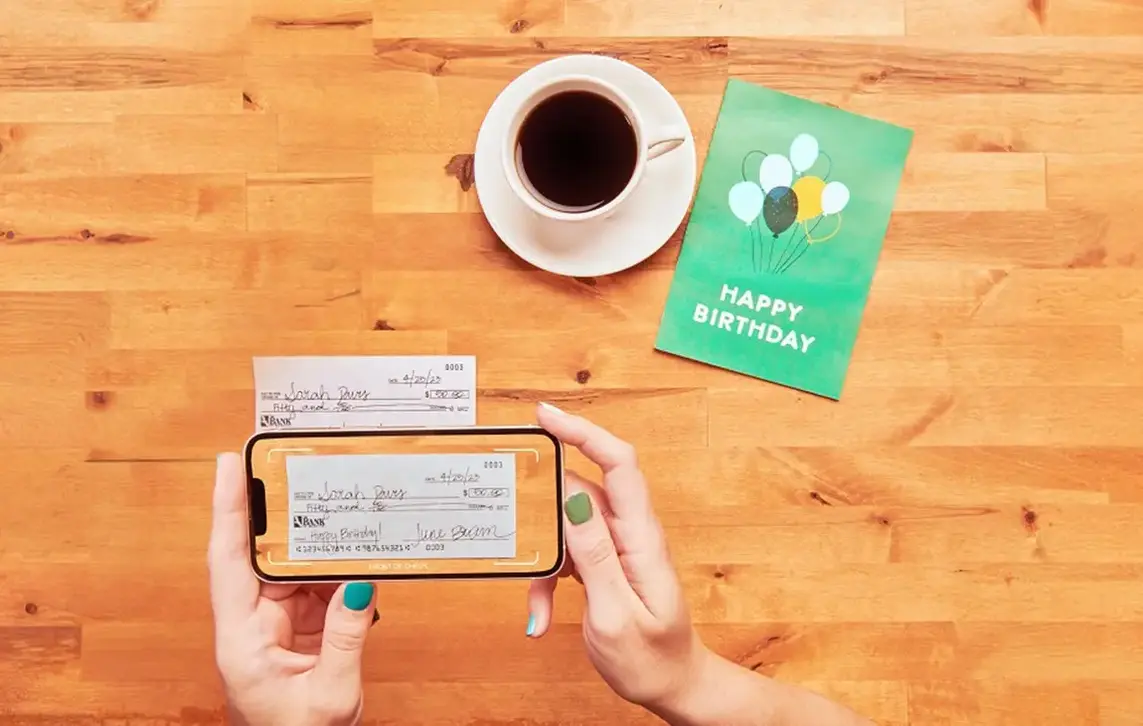
  • Follow the steps to fill in the dollar amount and snap pictures of the check front and back.
  • Funds are often available for use the next business day when received prior to 7PM central time.

Download our app to get started:

Download on the App Store.   Get it on Google Play.   

Frequently Asked Questions

Consumer deposit limits:

  • Daily limit: Max $2,500.00 per check and daily limit of $2,500.00 total and 5 checks
  • Monthly (rolling 30 day period) limit: Max of 20 checks and $5,000.00 total

Business deposit limits:

  • Daily limit: Max of 5 checks and $5,000.00 total
  • Monthly (rolling 30 day period) limit: Max of 60 checks and $25,000.00 total

Mobile check deposits received prior to 7PM central time on a business day (Monday-Friday, except Federal Holidays) are generally available the next business day.

As soon as you see the deposit in your account transactions, you can use it.

The Bank of Missouri may choose to delay availability of funds from any deposits made through Mobile Check Deposit at any time at our sole discretion.

Any check drawn on institutions located within the United States that has a MICR line (these are the numbers printed in magnetic ink near the bottom of the front of your check). Checks need to be payable to the account owner or any joint owner(s) and must be properly endorsed with:

For Mobile Deposit Only
The Bank of Missouri
Your Signature

Securely store the original check for 14 days after it has been submitted. After the retention period, write “VOID” across the front of the check in black or blue ink and then destroy it by cross-cut shredding or another commercially acceptable means of destruction.

You can deposit multiple checks in the same mobile banking session; however you can only submit one check per deposit at a time.

Mobile Check Deposit may have rejected your check for any of the following reasons:

Reason: The check could not be read by the software

  • Solution: Retake the picture. Make sure all four corners of the check are in the picture frame and that the check is lying as flat as possible on a dark colored background.

Reason: The check exceeds the daily or monthly deposit limits.

  • Solution: If you would exceed the limits on a regular basis, contact us to discuss a change in your limits or deposit the check at The Bank of Missouri location nearest you.

Reason: There is a discrepancy between the amount entered and the amount for which the check is written.

  • Solution: Verify the amount written on the check matches the amount you entered.

Reason: The item has already been deposited.

  • Solution: Review the transaction history on your account to see if the check has already been deposited.

These are the most common reasons a check could be rejected. If you have corrected these issues and your check is still being rejected, please contact us at 888-547-6541 or visit The Bank of Missouri location nearest you.